See where the voice is when an AI chat reads its answer
ChatGPT, Gemini and Claude will all read their answers out loud, in voices that are genuinely good. What none of them will do is show you where the voice has got to. You press their read button, the audio starts, and 900 words just sit there with no marker on any of them. Look away for ten seconds and finding your place means guessing.
Readalix fills in the missing half. On those three sites, press their read-aloud control and the extension follows their audio, tinting the sentence being spoken and the word inside it. Their voice, our highlighting. There is no second play button to find and no mode to switch on: you use their control the way you already do, and the highlight is simply there.
How it behaves
It is a passive overlay on somebody else’s audio, and it behaves like one:
- Any answer, any number of times. Press read on a second answer and the highlight moves there. Replay an older one and it starts over from its first word.
- It never claims your controls. This is not a Readalix read, so it never takes over the popup’s play and pause buttons. Their pause freezes the highlight where the voice stopped; starting a read of your own clears it.
- If anything stops matching, it stops. These are other people’s pages, and they get rebuilt. When Readalix can no longer tell which answer is being read, it quietly stops highlighting and their audio carries on untouched.
The word highlight is an estimate, not a measurement
Readalix’s own voices mostly report a real event as each word begins, so there the word highlight is told, not guessed. The AI chats publish nothing of the kind. All Readalix can see is a clock: how far into the audio the voice is, and how long the clip runs. So the position is modelled from the text, weighing each word by its characters and mapping the audio’s progress onto the total. Three details keep that honest:
- Code blocks get no time at all. Their voices skip fenced code, so Readalix skips it too, jumping from the last word before a block to the first after it. Charging a block its share of the audio was measured to throw a three-minute answer out by about six seconds.
- It re-anchors when the real length arrives. A freshly generated read does not know its own duration for the first several seconds. Until it does, the highlight moves at a measured average rate; when the true length lands, the rest of the answer is spread over the rest of the audio from wherever the highlight already is.
- It never steps backwards. Their clock can report a position behind where the model had reached. A word that jumps back reads as a stutter, so the highlight holds still until the voice catches up.
Two things follow. Shorter is sharper: a two-sentence answer has barely any room to drift, while a very long one gives a small error in the rate hundreds of words to accumulate over. And exact is not on the table: nothing short of the site telling us where each word starts can make it exact, and none of them do. On the answers we measured the model sat within a fraction of a percent of the audio, which reads as the right word or its neighbour. It will not always be that close.
Some languages will not get a useful word highlight
The model finds words as runs of text between spaces, which is a fine definition in English, Spanish, Arabic or Hindi and no definition at all in Chinese, Japanese or Thai. Written without spaces, a whole clause counts as one word, so the word highlight lights up a clause at a time and tells you very little. Uneven text has the same problem more mildly: long URLs, code identifiers and numbers do not take the time per character that prose does.
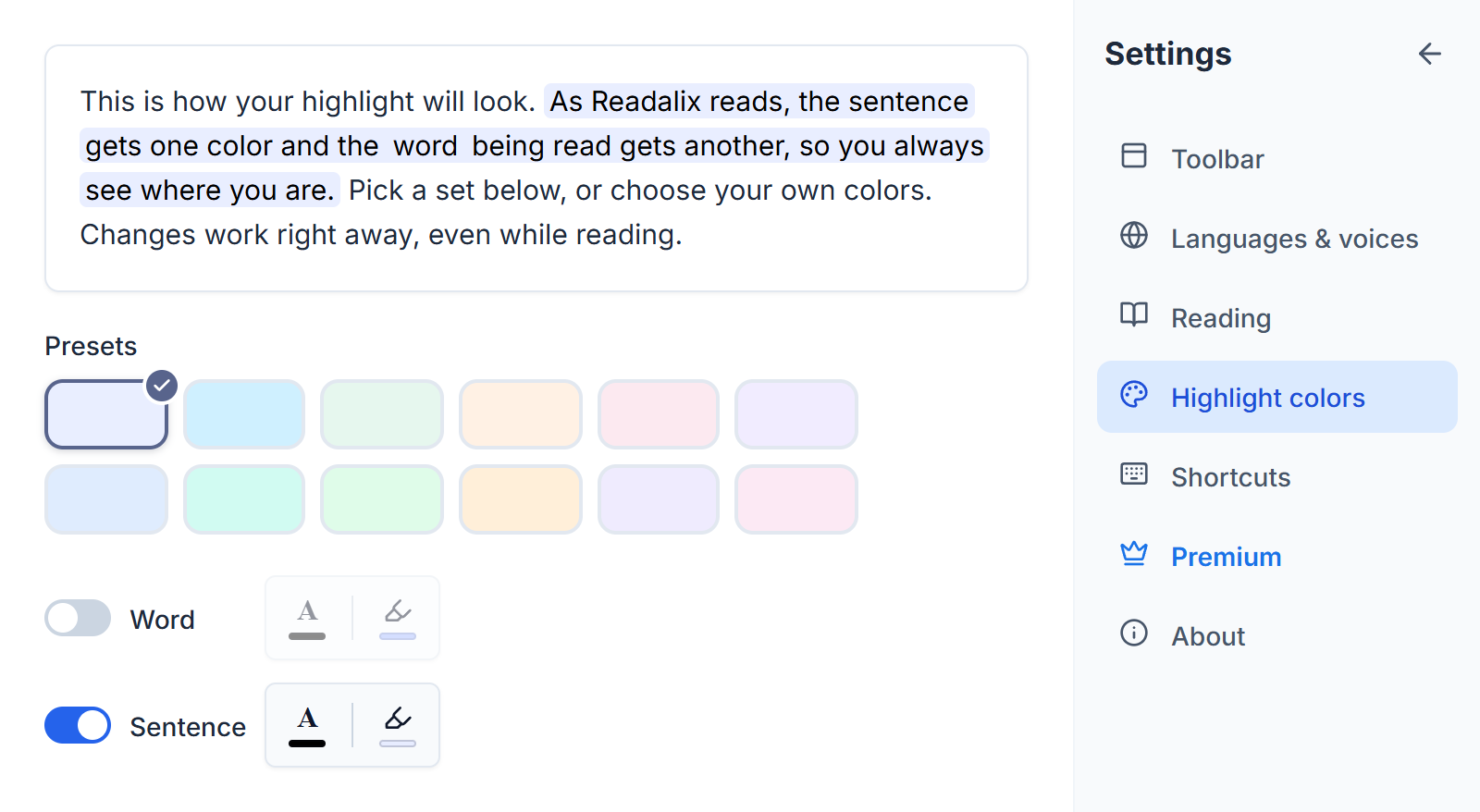
So keep the half that holds up. A sentence is long enough that being slightly early or late inside it usually does not move the mark, so in Settings → Highlight colors you can switch the word half off and leave the sentence half on: a clear marker travelling down the answer, with nothing jittering inside it. Both switches are global, so it is the same setting that governs ordinary pages.
What you keep either way
None of the rest depends on the word timing being tight:
- The answer scrolls itself. The conversation pane keeps the text being read in view. Scroll away deliberately and a chip shows the current word and jumps you back on click, following the same “Scroll to follow reading” setting as an ordinary read.
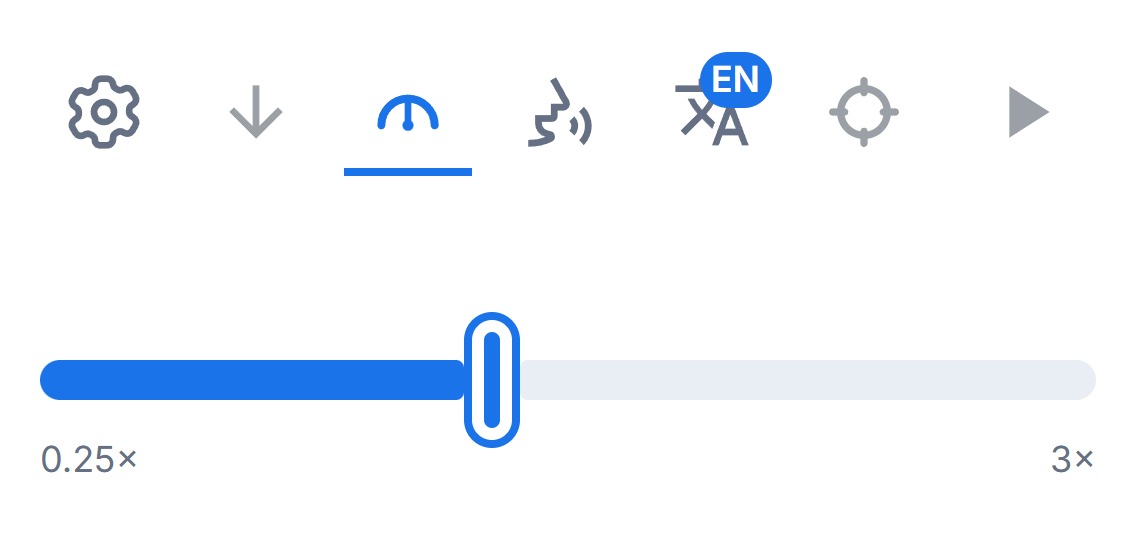
- Their voice runs at your speed. The popup’s reading-speed slider drives their player, including a change made mid-read. At the default 1× Readalix stays out of it, so the site’s own speed control keeps working for anyone who never touches ours.
- Your highlight colors, on their page. The palette you picked for the rest of the web, reading their light or dark theme rather than assuming one.
- Nothing leaves the browser. There is no speech to synthesize and no text to send: Readalix is reading a clock and painting a highlight. The answer never goes to a server, ours or anyone else’s.
And if you would rather not have it
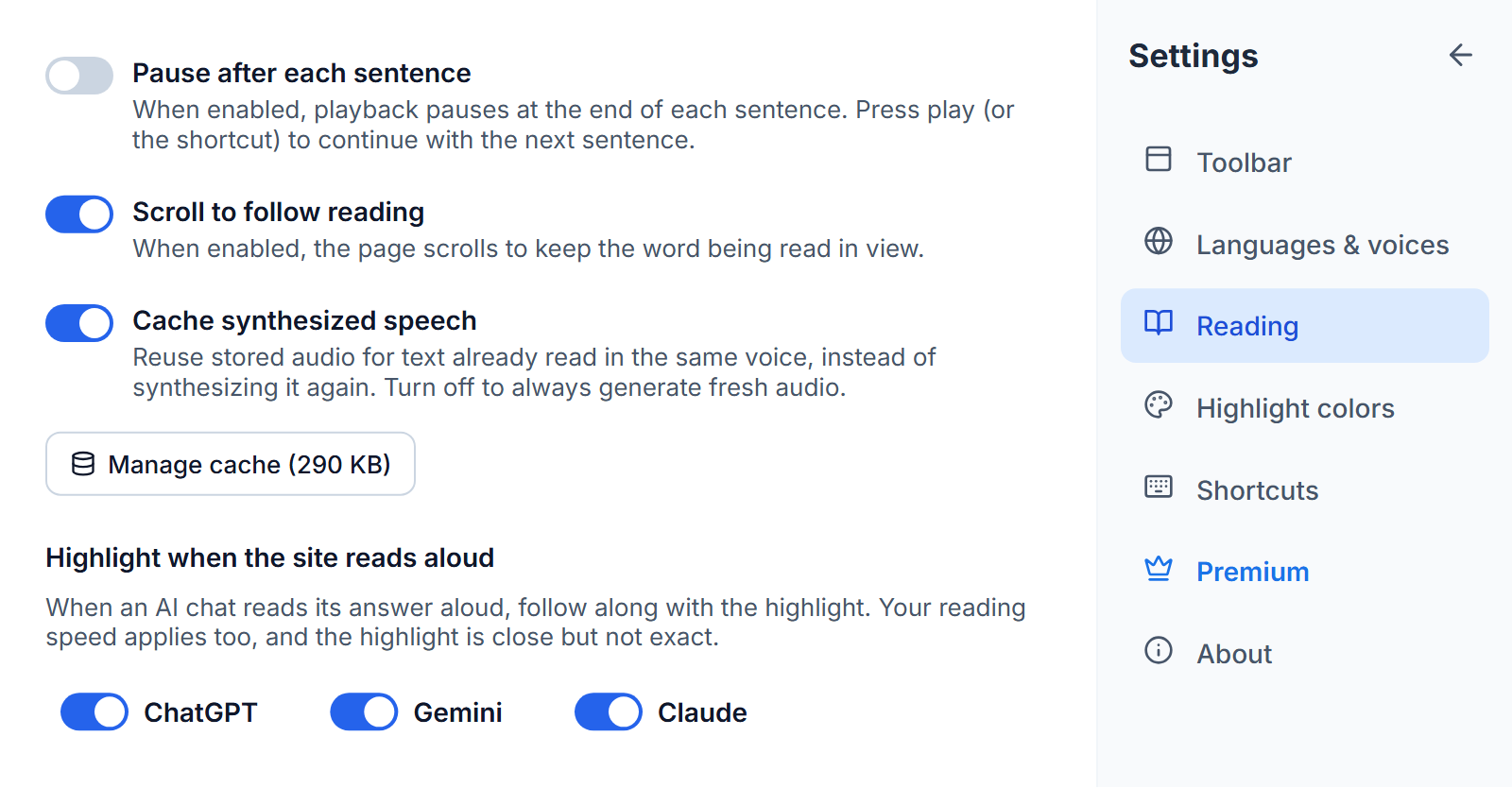
Then turn it off: Settings → Reading has a switch per site, so you can drop one and keep the others. An estimated highlight is a real matter of taste. Some people find a marker moving in roughly the right place is exactly enough to hold their eyes on the text; others find an occasional wrong word worse than no marker at all. Both are reasonable, which is why it is a switch and not a decision made for you.
We would rather ship an honest estimate than nothing. An answer read aloud with no visible position is a page you cannot look away from. One with a marker that is usually right, and never claims more, is a page you can.
Hear this page in a natural voice
Readalix is free, needs no account, and its on-device voices never send your text anywhere.
Add to Chrome