Voices and languages
Readalix speaks with nine kinds of voice, one of them made from your own recording. They differ in where the speech is made, what they cost you, and how exactly the word highlight lands.
Where voices live
Three places, for three different jobs.
- The toolbarThe Voice button lists the voices for the language you are on, grouped by source. This is where you switch voice for the read in front of you, even mid-sentence. A crown marks the premium groups, and the gear at the end of a group’s heading opens that source’s settings.
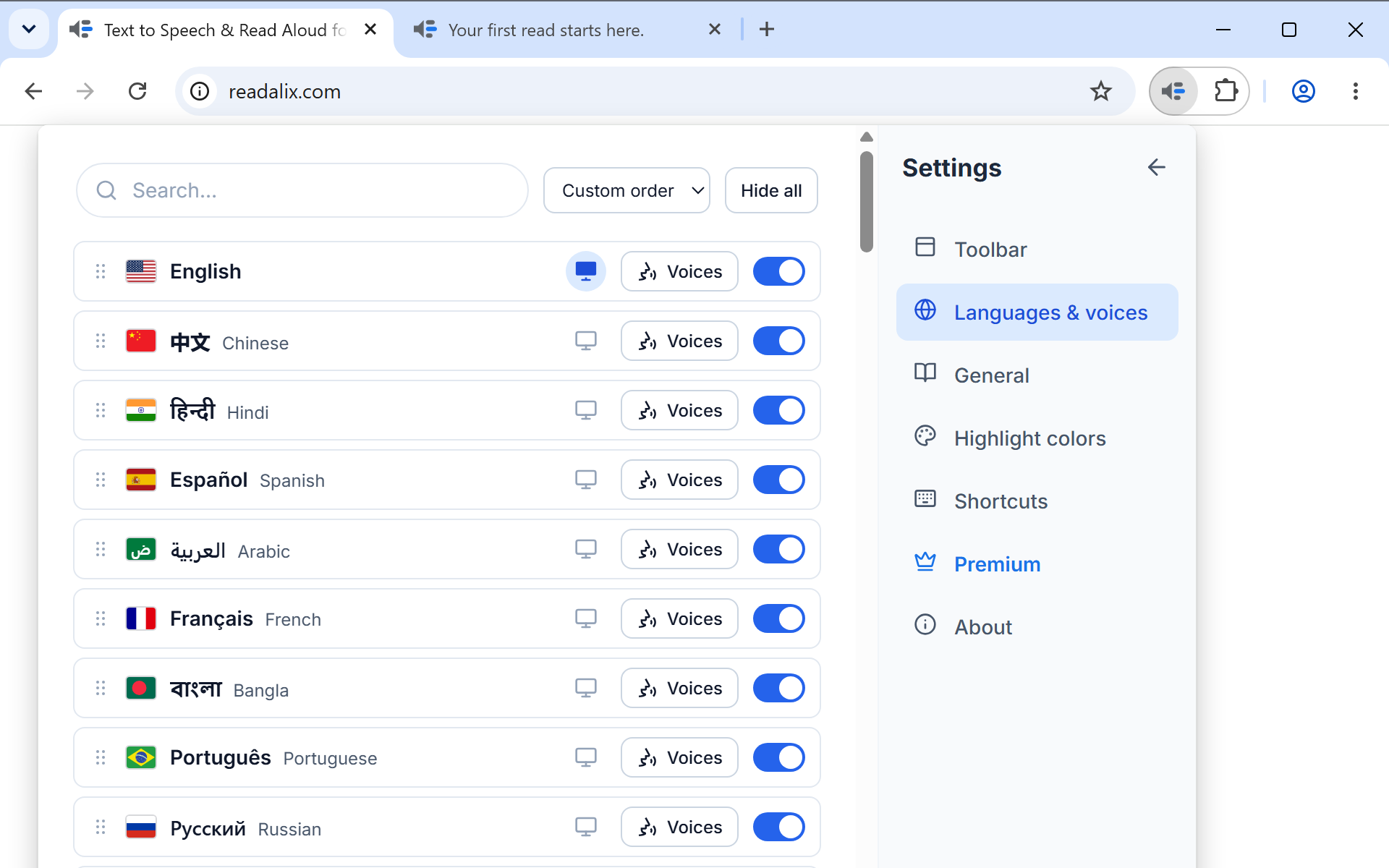
- Settings, Languages & voicesOne row per language, and a Voices button on each row that opens that language's full list. This is where you download voices, hide the ones you never use, and drag the rest into the order you want.
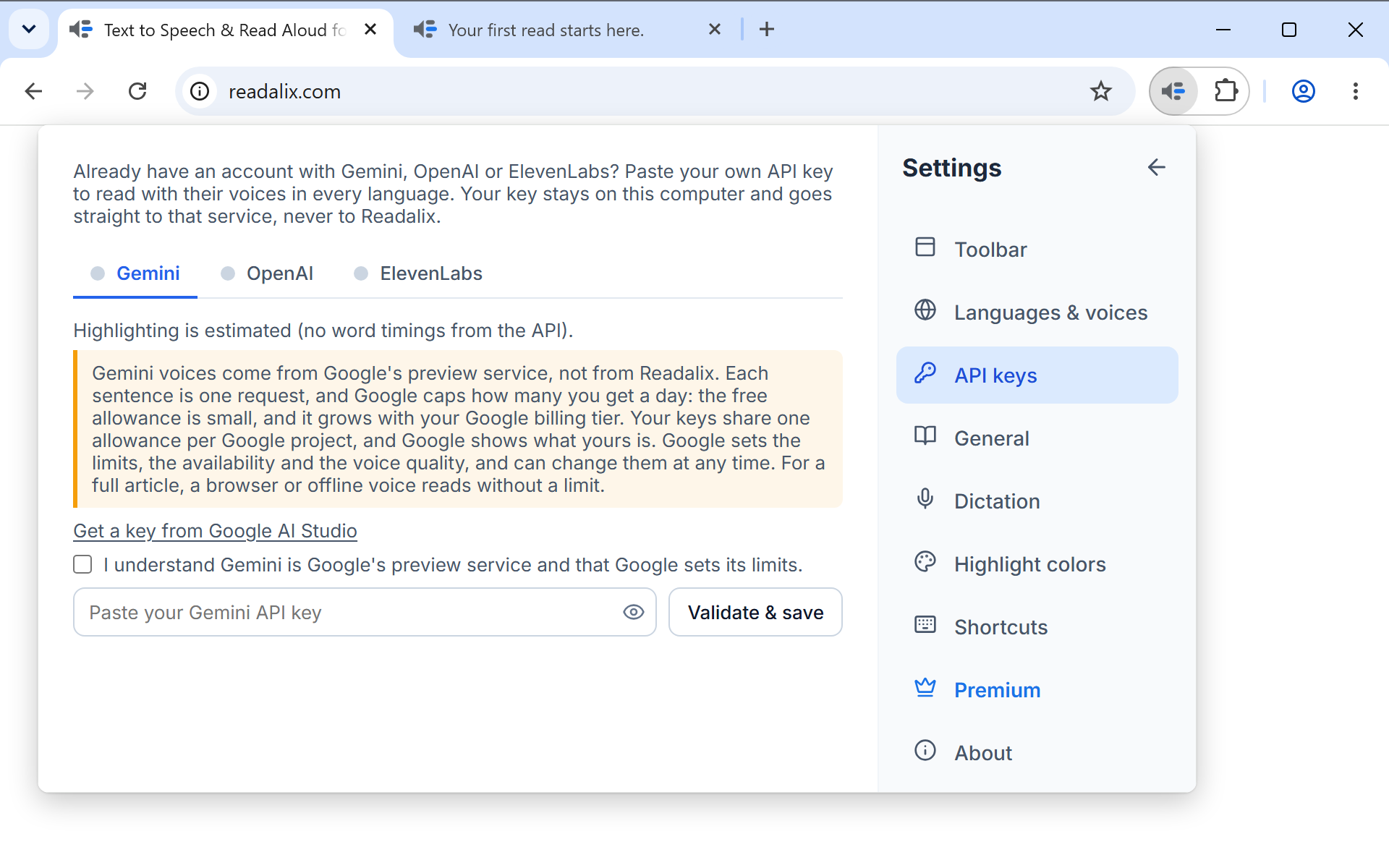
- Settings, API keysWhere you paste a Gemini, OpenAI or ElevenLabs key. Once a key is saved, that service's voices join the list of every language it speaks.
The nine sources
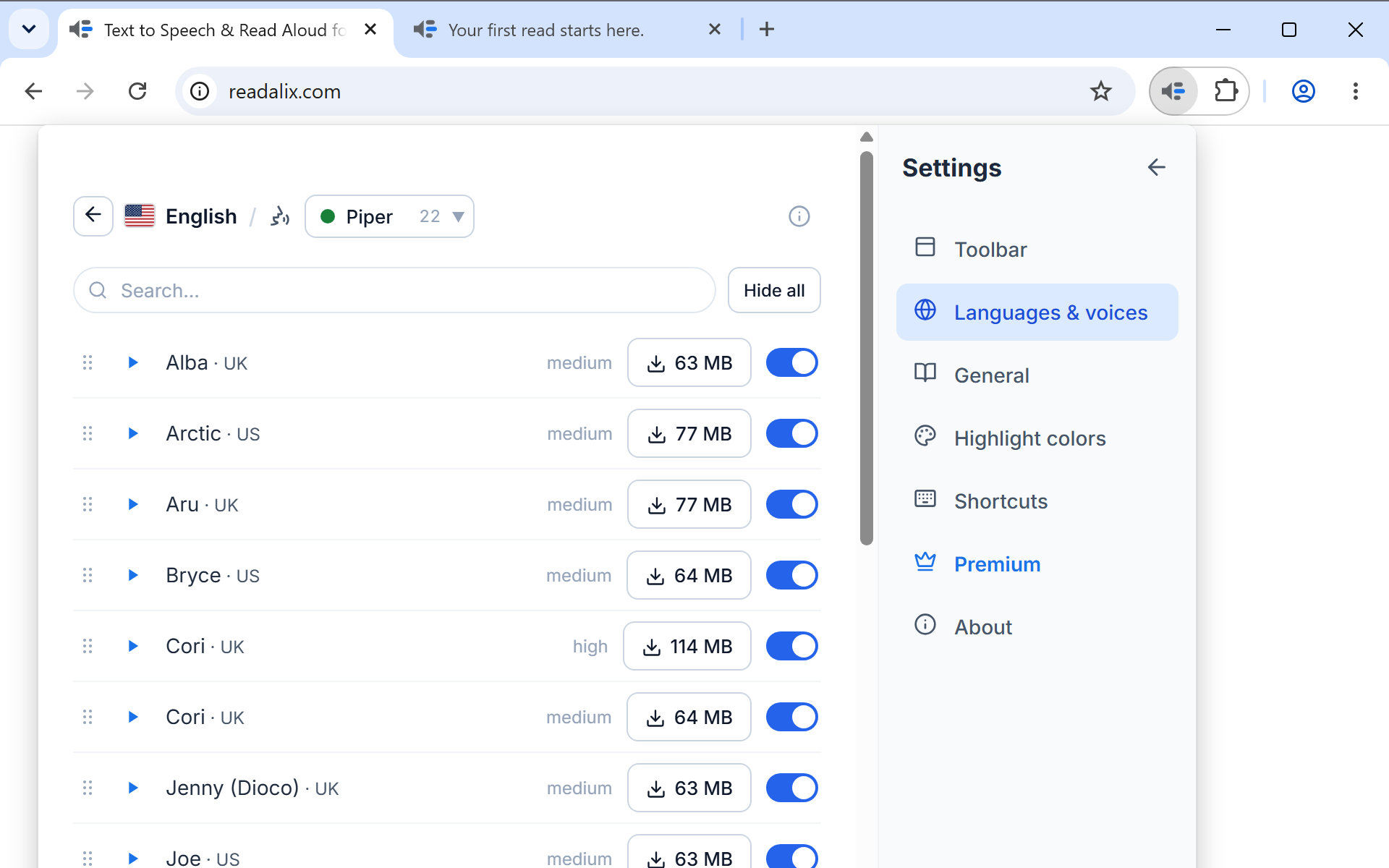
Inside a language’s voice list, the source is a picker at the top: Your voices, Browser, Microsoft, Piper, Kokoro, Supertonic, Gemini, OpenAI and ElevenLabs, each with the number of voices it has in that language. A source with nothing to offer is still listed, so you can see it was considered. Beside the picker sit a search box for long lists and a small information button that folds the source’s description open. In Microsoft Edge there is no Microsoft source: Edge already has the same Microsoft natural voices under Browser, free and with no daily limit.
| Source | What it needs | Where speech is made | Counts against the daily allowance |
|---|---|---|---|
| Your voices | A short recording of your voice, or an audio file, and one 146 MB model download per language. English and German. | On your machine | Yes |
| Browser | Nothing. These are the voices your operating system already has. | On your machine | No, always free |
| Microsoft | Nothing, while Microsoft shares them with Chrome, which it can stop at any time. In Microsoft Edge they are under Browser instead. | Microsoft's service | Yes |
| Piper | A one-time download per voice, a few megabytes each. 118 voices in 35 languages. | On your machine | Yes |
| Kokoro | One shared model per language: 155 MB for the 28 English voices, 127 MB for the 6 Mandarin ones. | On your machine | Yes |
| Supertonic | One shared model of 398 MB, downloaded once. Ten voices, and every one of them speaks all 31 supported languages. | On your machine | Yes |
| Gemini | Your own Google AI API key. 30 expressive voices. | Google's service | Yes |
| OpenAI | Your own OpenAI API key. 13 voices. | OpenAI's service | Yes |
| ElevenLabs | Your own ElevenLabs API key. Its lifelike voices, plus any you cloned or saved in your ElevenLabs account. | ElevenLabs’ service | Yes |
The Browser tab can also carry Chrome's own Google … (Natural) voices. They belong to Chrome's reading mode rather than to your system, so they are offered only once Readalix has quietly tried one and had it answer. Chrome loads that engine the first time its own reading mode reads something aloud, so the voices can be absent just after a restart and appear later in the same session.
Privacy, in one line. Browser, Piper, Kokoro, Supertonic and your own voices are produced on your own machine, so the text never leaves the browser. Microsoft, Gemini, OpenAI and ElevenLabs are cloud voices: the sentence being read is sent to that provider so it can be spoken. Your API keys stay on the device, are never synced, and are never sent to us. The privacy policy says it in full.
Hear one first
Every voice row carries a small play button. Press it and that voice speaks a sample, so you can pick by ear instead of by name. The sample plays without changing the voice you are set to, and one sample plays at a time.
Downloading a local voice
Piper voices are downloaded one at a time: the row shows the size, and pressing it starts the download and turns into a percentage, then into a Remove button once it is on disk. Kokoro and Supertonic are each one model shared by their voices, so those tabs carry a single download control: 398 MB for Supertonic, and for Kokoro one model per language, 155 MB for English or 127 MB for Mandarin. The list stays usable while a download runs, so you can keep reading with another voice meanwhile.
Once a local voice is downloaded it needs no network at all, which makes it the one to reach for on a plane or a bad connection.
If a download fails, the row says why. Can’t connect means your network cannot reach the download server, so another try will not help until it can; your other voices keep reading meanwhile. Disk full means there is not enough free space, and the note under it says how much the voice needs. Failed · retry means the download was cut off, and another try usually finishes it.
Read in your own voice
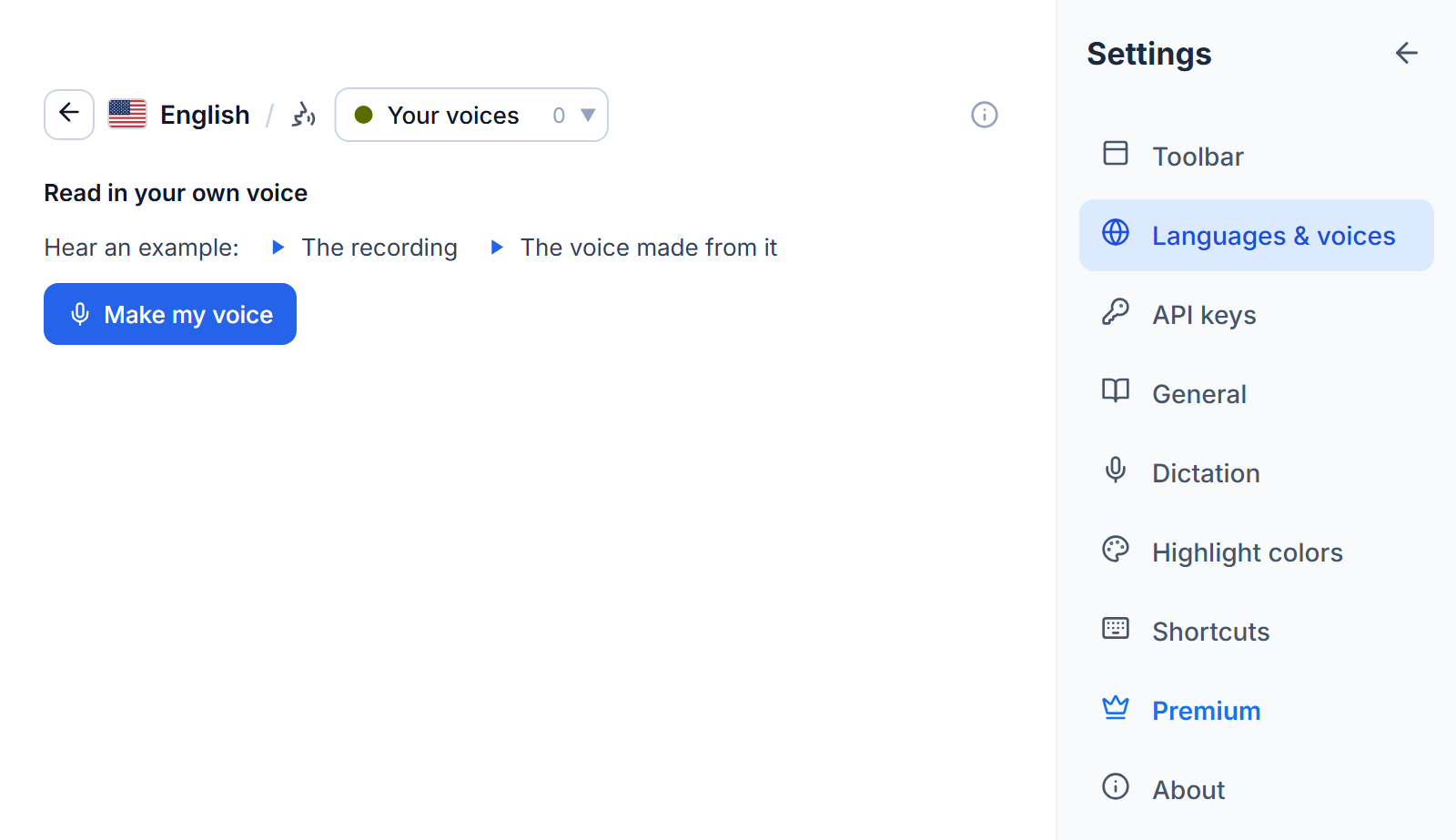
Your voices turns a short recording into a voice that reads any English or German page, made and kept on your computer. To start, open Settings, Languages & voices, press Voices on English or German and pick Your voices, or choose Make your own voice at the top of the toolbar’s voice list. Before downloading anything you can hear an example: a recording, and the voice made from it.
- Press Make my voice. The first time, this also starts the voice model’s one-time download of 146 MB, and you can record while it comes down.
- Tick the promise to use only your own voice, or the voice of someone who has given you permission. It is asked once.
- Press Record and read the passage on screen aloud, in your normal voice, somewhere quiet. Recording stops by itself after 15 seconds and needs at least 5. If the microphone has not been allowed yet, a tab asks for it and brings you straight back. Or press Use a recording and pick an audio file of any length: Readalix listens to its first ten minutes and keeps the clearest 15 seconds of speech.
- The new voice joins the list as My voice 1 and plays at once, so you hear straight away whether it sounds right. If it does not, remove it and record again.
Each voice can be renamed or removed from its row, and Add a voice makes another, up to ten on one computer. Every voice reads both languages: the first read in the other one needs that language’s download too. Your voices count against the daily allowance like the other premium voices.
Your recordings stay on this computer. A recording and the voice made from it are never uploaded and never synced, so on another computer you make the voice there. Removing a voice deletes its recording too.
Adding an API key
- Open Settings, then API keys. It opens on the service you last used. A language's voice list leads there too: a service with no key yet shows an Add key button.
- Choose the Gemini, OpenAI or ElevenLabs tab. The dot beside a tab's name turns green once that service has a key.
- Paste your key into the field on that tab. It is checked against the provider before it is saved, so a typo tells you at once rather than at the first read.
A saved key shows as API key saved, with a bin button beside it to remove it and a Voices button that opens that service’s voices in the language you are reading. The key is stored on that device only. It is not synced to your other computers, and it never reaches Readalix.
ElevenLabs has a few extras. Once the key is saved, the voices of your ElevenLabs account join the list, the ones you cloned included. The Model menu trades quality against credits, a ring shows how much of this month’s ElevenLabs credits you have used, and on the models that support it a Speaking style box (such as calm, warm storyteller) sets the mood every sentence is read in. A style adds its own length to each sentence’s credits.
Choosing the language
The toolbar's Language button decides which language the text is treated as, which in turn decides which voices are offered and how sentences are split. Languages are listed by their own name, one entry per language, and the search box matches the native name, the English name or the country, so "Arabic", "Egypt" and "مصر" all find the same row.
Two ways to make that list yours, both in Settings, Languages & voices:
- Hide what you do not speakThe switch on a language row keeps it out of the toolbar's menu. The row stays in settings, dimmed, so you can bring it back.
- Order them yourselfDrag a row by its grip. That order is what the toolbar's Language menu uses too. Left alone, the list keeps one order and never rearranges itself.
The same page carries the toggle that sets the extension's own interface language, on any row whose language Readalix has been translated into. There are 52 of them.
A page written in more than one alphabet does not need any of this. Each sentence is read by a voice that can pronounce the writing system it uses, so an English article quoting Arabic, Greek, Hebrew or Chinese is read right through, and only the parts in another script change voice. If you have pinned a language for the site, that pin still decides the main voice.
Which voices highlight exactly
Sentence highlighting is always accurate. Word highlighting depends on whether the voice reports where it is:
- ExactMicrosoft, Kokoro and ElevenLabs voices report the start of every word, so the highlight lands on the word being spoken.
- ClosePiper, Gemini and OpenAI voices, and your own voices, are timed against the real duration of the audio they produced, which keeps the highlight tight.
- EstimatedSome browser voices report nothing, so the highlight is paced from the reading speed and the length of each word. It drifts a little on long sentences.
A voice list says which kind it is on the row itself, so you never have to guess before choosing.